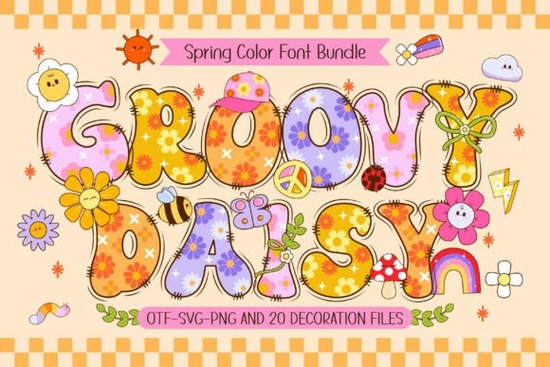
If you're looking for a cheerful, eye-catching font that brings springtime energy to your designs, the Groovy Daisy Font is worth a closer look. With its playful daisy motifs and retro-inspired flair, it’s designed to add whimsy and color to everything from kids’ crafts to seasonal merchandise.
This isn’t just another script or sans-serif it’s a 4-color font packed with personality. Each letter integrates tiny daisy graphics that pop with brightness, making it ideal for projects that celebrate warmth, nature, and lighthearted fun. Whether you’re designing T-shirts for a local flower festival, creating printable wall art for nurseries, or personalizing tote bags for spring markets, Groovy Daisy helps your work stand out without trying too hard.
What makes this font different from other colorful fonts?
Many decorative fonts rely on outlines or simple fills, but Groovy Daisy uses layered color channels to create depth and vibrancy directly within the letterforms. It also comes with 20 matching doodle cliparts think smiling suns, fluttering butterflies, and of course, more daisies that complement the typeface seamlessly. This bundle saves time because you don’t need to source extra graphics to complete your theme.
For those who work across different platforms, compatibility matters. The black (single-color) version works smoothly in Cricut Design Space and most cutting machines, which is great news for crafters who cut vinyl or heat-transfer material. However, the full-color version requires design software that supports multi-layer OpenType fonts like Adobe Photoshop, Illustrator, Silhouette Studio, or Inkscape. If you’ve used other vibrant fonts like those in our 3D spring font collection, you’ll find the workflow familiar.
Who is this font best suited for?
Groovy Daisy shines in contexts where joy and simplicity are key:
- Print-on-demand sellers creating seasonal mugs, phone cases, or apparel with spring or garden themes.
- Small business owners designing flyers for Easter events, farmers' markets, or kids’ workshops.
- DIY crafters making greeting cards, scrapbook elements, or classroom decorations.
- Teachers and parents looking for engaging fonts for learning materials or party invitations.
It’s not meant for formal documents or minimalist branding but that’s not a drawback. Its strength lies in leaning into its niche: fun, floral, and friendly.
How do I know if my software supports the color version?
Not all programs handle multi-color fonts the same way. If you open the OTF or TTF file in Cricut Design Space and only see solid black letters (no colors), that’s expected the color layers won’t render there. For full effect, use it in compatible design tools first, then export as PNG or SVG for cutting or printing.
If you’re new to layered fonts, Creative Fabrica’s Ultimate Font Guide (linked in the product description) walks you through installation and usage step by step. And if you enjoy this style, you might also like exploring other themed options, such as the bold sports-inspired colorful fonts for completely different vibes.
Tips for getting the most out of Groovy Daisy
Because of its detailed design, avoid using it at very small sizes details may blur or disappear in print. Stick to headlines, titles, names, or short phrases where each character can breathe. Pair it with clean, neutral backgrounds (white, soft pastels, or light kraft paper tones) so the daisies really pop.
You can also mix and match: use the black version for cutting iron-on vinyl, and the color version for digital mockups or social media graphics. This flexibility makes it useful across both physical and online projects.
And don’t overlook the included doodles! They’re perfect for filling corners, creating borders, or adding accents beside text. Try placing a butterfly next to a child’s name on a birthday banner, or scattering daisies around a “Welcome Spring!” quote poster.
For more floral-inspired options with similar charm, check out the dedicated page for this font family, which sometimes features bundle deals or complementary assets.
Before you download, here’s a quick checklist:
- ✅ Confirm your design software supports multi-color OTF/TTF fonts (Photoshop, Illustrator, etc.).
- ✅ Decide whether you need the black version (for cutting machines) or color version (for digital/print design) or both.
- ✅ Plan your project scale: use Groovy Daisy for medium to large text where details stay visible.
- ✅ Download and install the font following Creative Fabrica’s instructions to avoid missing layers.
- ✅ Experiment with the included doodles they’re part of what makes this set special.
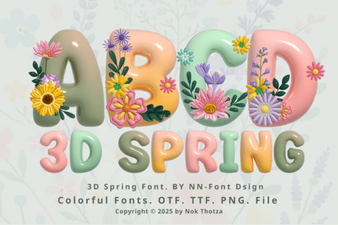 Fresh 3d Spring Font Designs for Your Projects
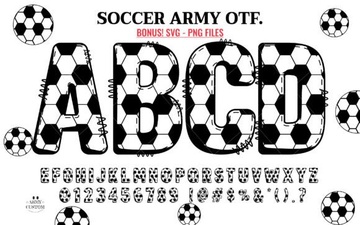 Soccer Army Fonts: Free Design Resources & Project Ideas
 Unlock Elegance with the Josefin Font
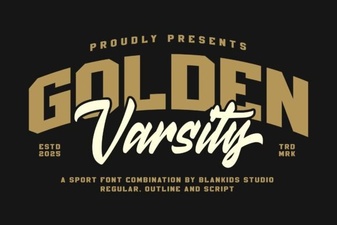 Golden Varsity Font for Sports & Creative Projects
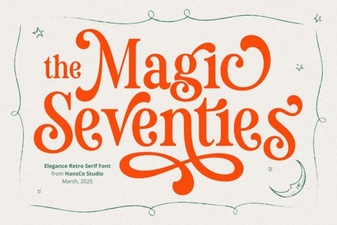 Magic Seventie Font: Retro Style for Modern Designs
 Monogram Fonts for Personalized Wedding Design