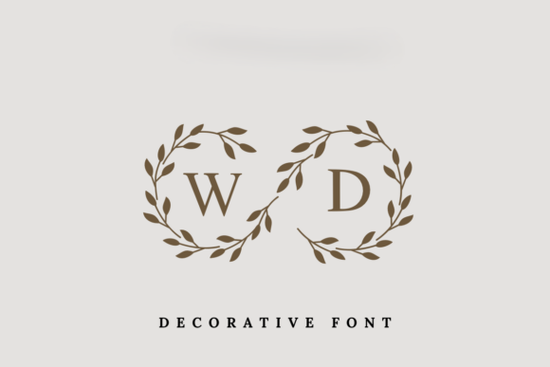
If you're designing wedding stationery, gift tags, or personalized keepsakes for couples, a monogram font that blends elegance with simplicity can make your work stand out. The Wedding Day Monogram Font offers just that a clean serif letterform wrapped in delicate laurel wreaths, giving each initial a refined, timeless feel without overwhelming your layout.
This type of design works especially well when you need subtle sophistication rather than ornate flourishes. Whether you’re creating save-the-date cards, envelope liners, or custom napkins for a bridal shower, the restrained beauty of this font helps your project feel intentional and polished.
Why choose a laurel-wreath monogram for weddings?
Laurel wreaths have long symbolized honor, unity, and celebration making them a meaningful motif for weddings. Unlike more decorative monograms that rely on swirls or floral elements, the Wedding Day Monogram Font uses a minimal wreath outline that frames the letter without competing with other design components. This balance is ideal if you’re layering text over photos, using textured paper, or pairing the monogram with additional typography.
For print-on-demand sellers, this simplicity also translates well across product types from mugs and tote bags to acrylic signage because the design scales cleanly and remains legible even at smaller sizes.
How does it compare to other decorative fonts?
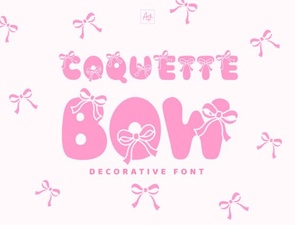
Not all decorative fonts suit every wedding theme. If you’ve tried bolder options like the Coquette Bow Font, which leans playful with its ribbon-like curves, you’ll notice the Wedding Day Monogram takes a quieter approach. It’s less about whimsy and more about understated grace.
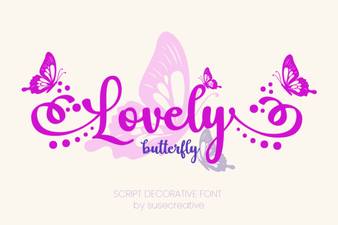
Similarly, while the Lovely Butterfly Font brings lightness and movement through wing-inspired terminals, the Wedding Day Monogram stays grounded in classic serif structure. That makes it a reliable choice for formal or vintage-inspired weddings where consistency and readability matter most.
Who is this font best suited for?
- Stationery designers who want a signature element for couple monograms that doesn’t distract from the rest of the invitation suite.
- Crafters making laser-cut wood signs, embroidered handkerchiefs, or pressed-flower frames where fine details must hold up during production.
- Small business owners offering custom wedding favors; the font’s clean lines ensure crisp results on everything from foil-stamped boxes to ceramic tiles.
- Hobbyists personalizing gifts for friends getting married it’s intuitive to use even if you’re not a pro designer.
Because it’s a single-character monogram (each file typically includes A–Z as individual glyphs), it’s easy to drop into any design software. Just select the initial you need, size it appropriately, and pair it with a complementary sans-serif or script for full names or dates.
Tips for using it effectively
To keep your designs feeling elevated but not fussy:
- Limit color use. Stick to one or two tones ivory on sage green, charcoal on cream, or metallic gold on white to let the wreath detail shine.
- Avoid overcrowding. Give the monogram breathing room. It works best as a focal point, not background filler.
- Test print quality early. If you’re selling physical products, run a sample to confirm the thin lines of the wreath reproduce clearly on your chosen material.
- Pair thoughtfully. Try combining it with neutral textures like linen, marble, or watercolor washes for a cohesive aesthetic.
Remember, the goal with wedding branding isn’t to impress with complexity it’s to create something that feels personal and enduring. The Wedding Day Monogram Font supports that intention by offering just enough detail to feel special, without tipping into visual noise.
Before you finalize your next project, check that your software supports OpenType features (if included) and that you’ve licensed the font for your intended use especially if you’re selling items commercially. Creative Fabrica’s license typically covers commercial use, but it’s always smart to double-check based on your specific plan.
Quick checklist before you start:
- Download and install the font correctly
- Confirm your design software recognizes the glyphs
- Choose a complementary secondary font for body text
- Review licensing terms for your use case
- Print or mock up a sample to assess scale and clarity
 Coquette Bow Font: Design Tips & Download Guide
 Lovely Butterfly Font: Designs & Download Tips
 Unlock Elegance with the Josefin Font
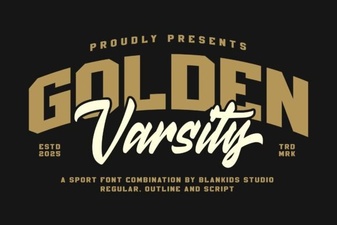 Golden Varsity Font for Sports & Creative Projects
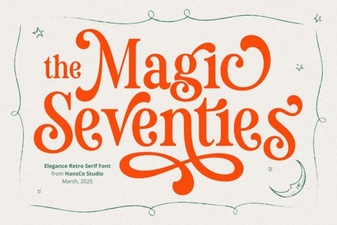 Magic Seventie Font: Retro Style for Modern Designs
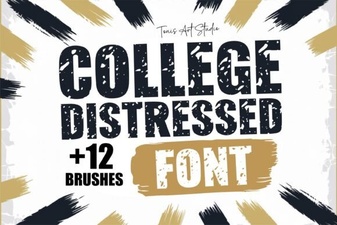 College Distressed Fonts for Graphic Design Projects