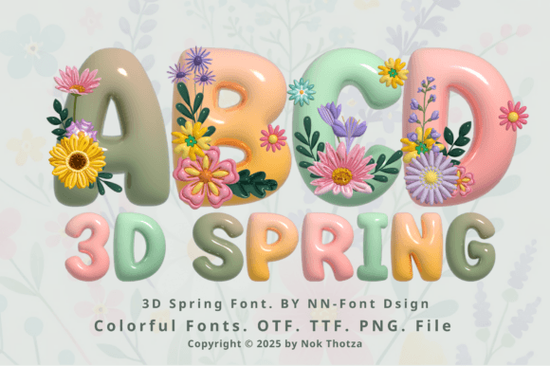
If you're working on spring-themed designs whether it's greeting cards, party invitations, or seasonal merchandise you’ve probably been looking for a font that captures the lightness and joy of the season. The 3D Spring Font does exactly that. With its soft pastel colors, dimensional letterforms, and delicate floral accents, it brings a cheerful, handcrafted feel to any project without requiring advanced design skills.
This font comes in two distinct versions: a black outline style that works seamlessly with cutting machines like Cricut Design Space, and a full-color version designed for graphic software such as Adobe Photoshop, Illustrator, Silhouette Studio, and Inkscape. It’s important to note that the color version uses layered or multicolor font technology (often called “color fonts” or “chromatic fonts”), which isn’t supported by all platforms especially not by Cricut’s system. If you’re unsure how these work, Creative Fabrica’s Ultimate Font Guide breaks it down clearly.
Who is this font best suited for?
The 3D Spring Font shines for creators who want to add seasonal charm quickly and consistently:
- Print-on-demand sellers can use it for spring collections think mugs, tote bags, or wall art featuring uplifting messages.
- Paper crafters and card makers will appreciate how the black version cuts cleanly on machines, while still offering visual depth.
- Small businesses running spring promotions (like florists, bakeries, or event planners) can create eye-catching social graphics or flyers.
- Digital designers working in Photoshop or Illustrator can layer the color version over photos or patterns for instant seasonal flair.
How does it compare to other playful fonts?
If you’ve browsed Creative Fabrica’s colorful fonts section, you might have seen options like the Groovy Daisy Font, which leans into retro floral vibes, or the Soccer Football Army Font, built for bold, sporty energy. The 3D Spring Font sits in a different niche it’s softer, more dimensional, and intentionally seasonal. Rather than competing, these fonts complement each other depending on your theme.
What sets the 3D Spring Font apart is its balance of structure and whimsy. The letters maintain readability even with their decorative elements, so your message doesn’t get lost in the design. Plus, the pastel palette think mint greens, blush pinks, and sky blues feels fresh without being overwhelming.
Can I use it with my Cricut machine?
Yes but only if you use the black version included in the download. This outline-style OTF/TTF file is fully compatible with Cricut Design Space and similar cutting software. You’ll be able to size, weld, and cut it just like any standard font.
The color version, however, won’t work in Cricut. That’s because it relies on OpenType-SVG or multi-layer color technology that Cricut doesn’t support. If you try to upload it, you’ll likely see only a flat, uncolored outline or nothing at all. So always double-check which file you’re using based on your tool.
Tips for getting the best results
- Pair it wisely. Because the 3D Spring Font is highly decorative, pair it with a simple sans-serif for body text or secondary info (like dates or addresses).
- Use ample spacing. The floral embellishments need room to breathe avoid tight kerning or cramming words together.
- Test print or cut first. Especially with the black version, do a small test run to ensure fine details (like tiny flower stems) cut cleanly on your material.
- Don’t scale too small. Below 24pt, some of the 3D depth and floral details may become muddy or illegible.
Whether you’re designing a Mother’s Day card, a spring market banner, or a limited-edition product line, the 3D Spring Font adds a touch of seasonal warmth without requiring hours of custom illustration. Just remember to match the right version (color vs. black) to your software and you’ll save time while keeping your output professional and cohesive.
Before you download, check this quick list:
- Do you need it for cutting machines? → Use the black OTF/TTF file.
- Are you designing digitally in Photoshop/Illustrator? → Go for the color version.
- Is your project spring- or garden-themed? → This font fits perfectly.
- Need help understanding color fonts? → Review the Ultimate Font Guide.
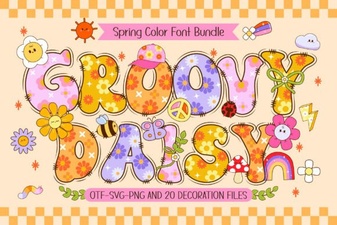 Groovy Daisy Font for Creative Digital Projects
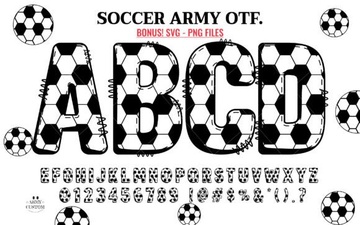 Soccer Army Fonts: Free Design Resources & Project Ideas
 Unlock Elegance with the Josefin Font
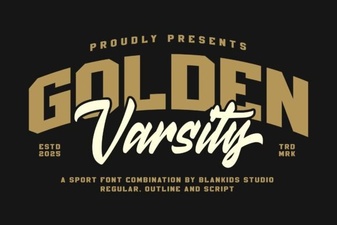 Golden Varsity Font for Sports & Creative Projects
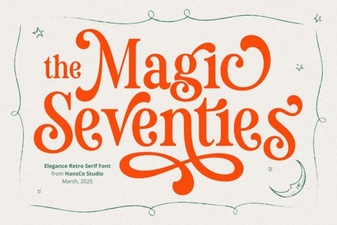 Magic Seventie Font: Retro Style for Modern Designs
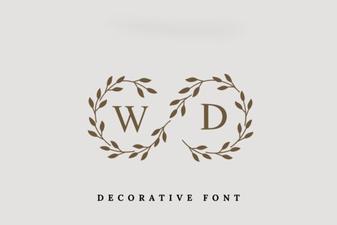 Monogram Fonts for Personalized Wedding Design